Monday, 7 December 2020

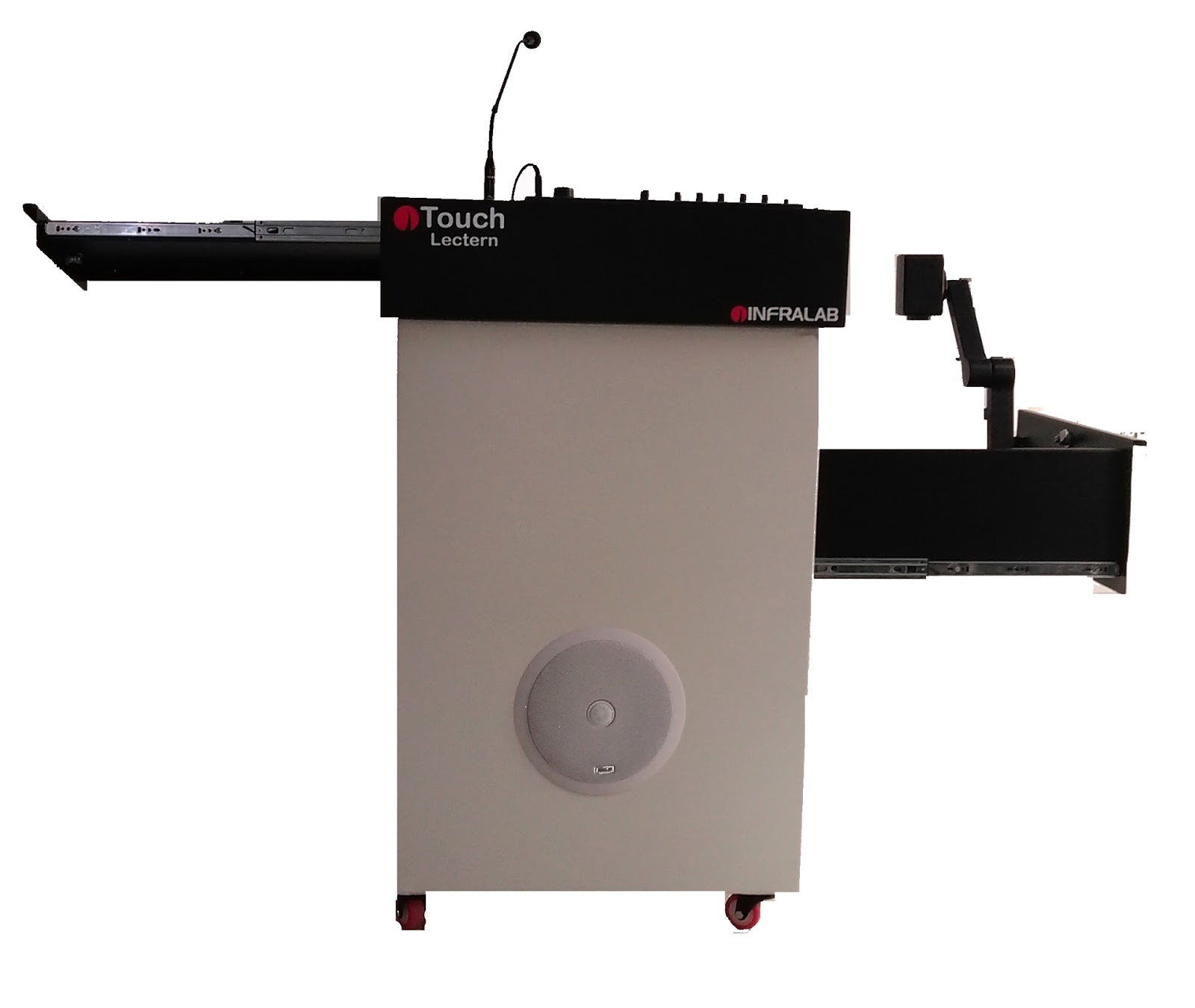
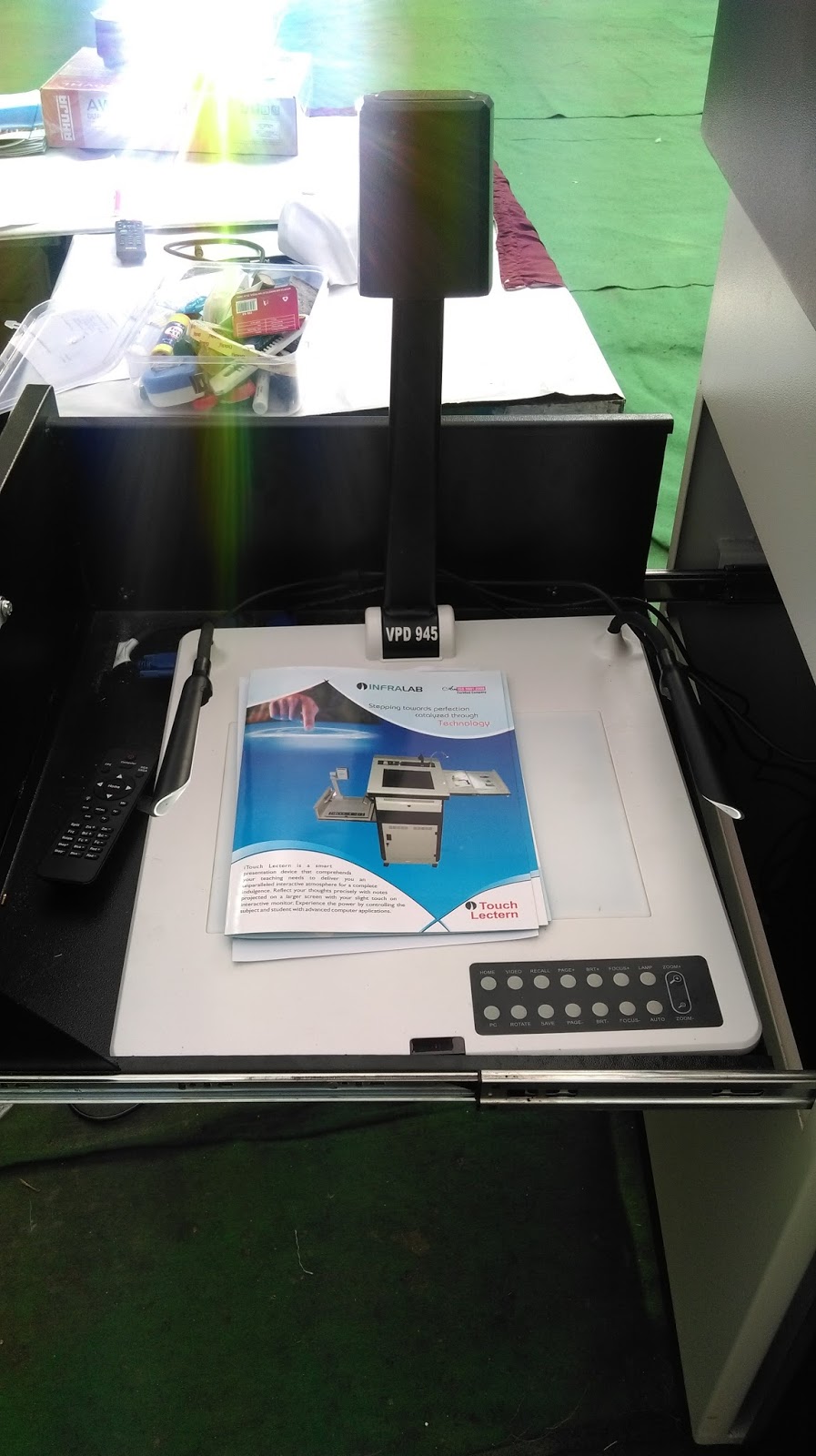
What is Interactive Touch Monitor / Display?

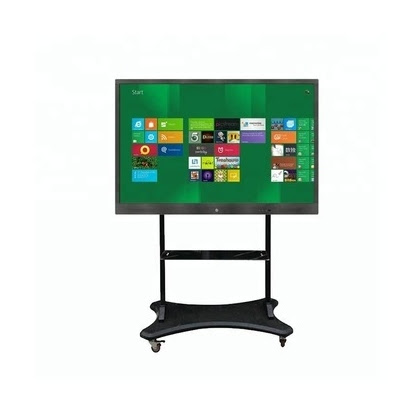
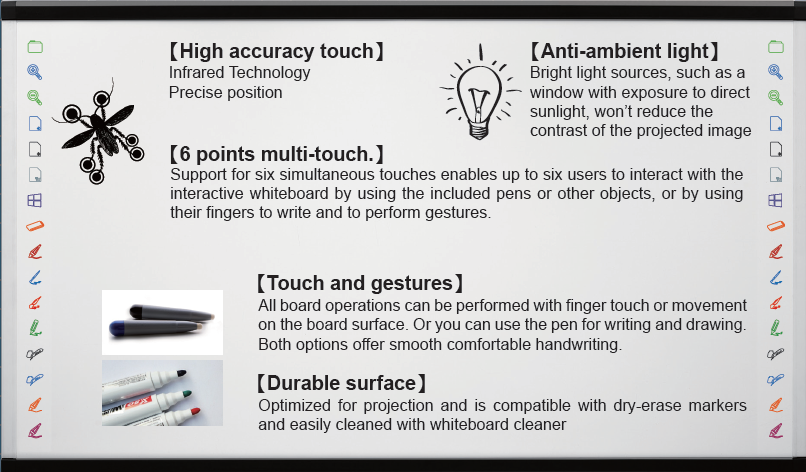
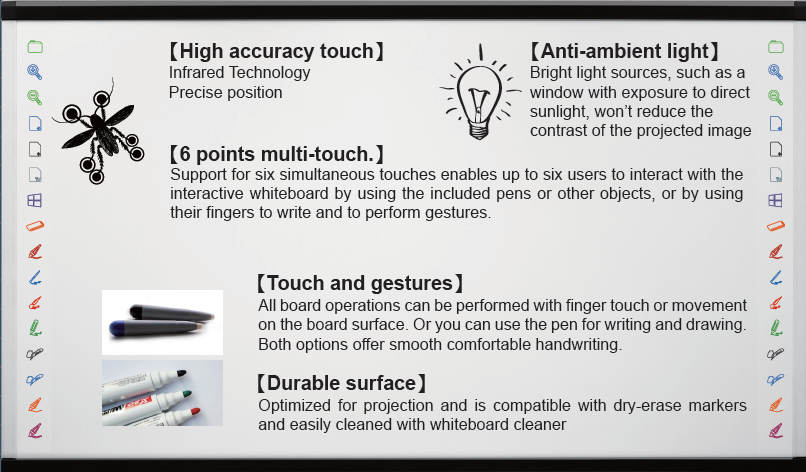
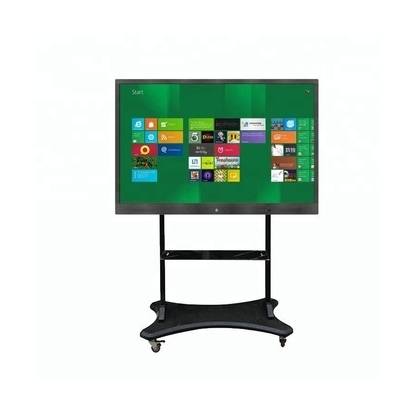
 Interactive Touch Monitor is a touch panel display which is operated with the touch of a finger or dummy pen. It is offered with the writing and annotation software. There are two types of Interactive Touch Monitors: 

  • With Computer
  • Without Computer 
The price of an Interactive Touch Monitor in India depends upon its configuration and size. Interactive Touch Panels are available in 19 inches, 22 inches, 40 inches, 65 inches, and 85 inches. Infrared Technology is used to run these capacitive touch panels. Touch Panels can be mounted on a wall as well as a stand. The price of Interactive Touch Panel Display in India depends upon the configuration of CPU, size, and mounting arrangement. 
Tuesday, 5 September 2017

Happy Teachers Day to all of you!

Infralab wishes all teachers a very very Happy Teachers Day! They are the torch bearers for the world to become a better place to live in.
To make this event memorable, today we are launching VISUAL PODIUM - a kind of digital podium. Visual Podium is going to take education industry by storm. It is going to power classrooms by empoweing teachers.

Plug & Play Visual Podium Highlights - 
  • Write with your Hand on Paper , Show it to the audience on Screen, Record it & Share it.
  • Onboard USB Recording Audio & Visual
  • Integrated Public Addressing Arrangement (Mic, Speaker & Amplifier)
  • Record Group Discussions
  • Demonstrate & Teach Lessons
  • Access Internet with a simple click
  • Annotate on Websites
  • Run YouTube Videos
Visual Podium will revolutionize Indian Classrooms in a new way. It will give a new dimension to teaching and learning. 
I understand that you must be waiting to get a glimpse of Visual Podium.. Hold the breath. We will post pictures in our next post as the product is undergoing photoshoot. 
Till then, HAPPY TEACHERS DAY TO ALL OF YOU. 


Regards
Tanya, Infralab
www.smartclassroomindia.com
info@smartclassroomindia.com | infralabindia@gmail.com 

Monday, 14 August 2017

DIDAC EXHIBITION INVITATION - INFRALAB STALL E-7

Hello Friends,

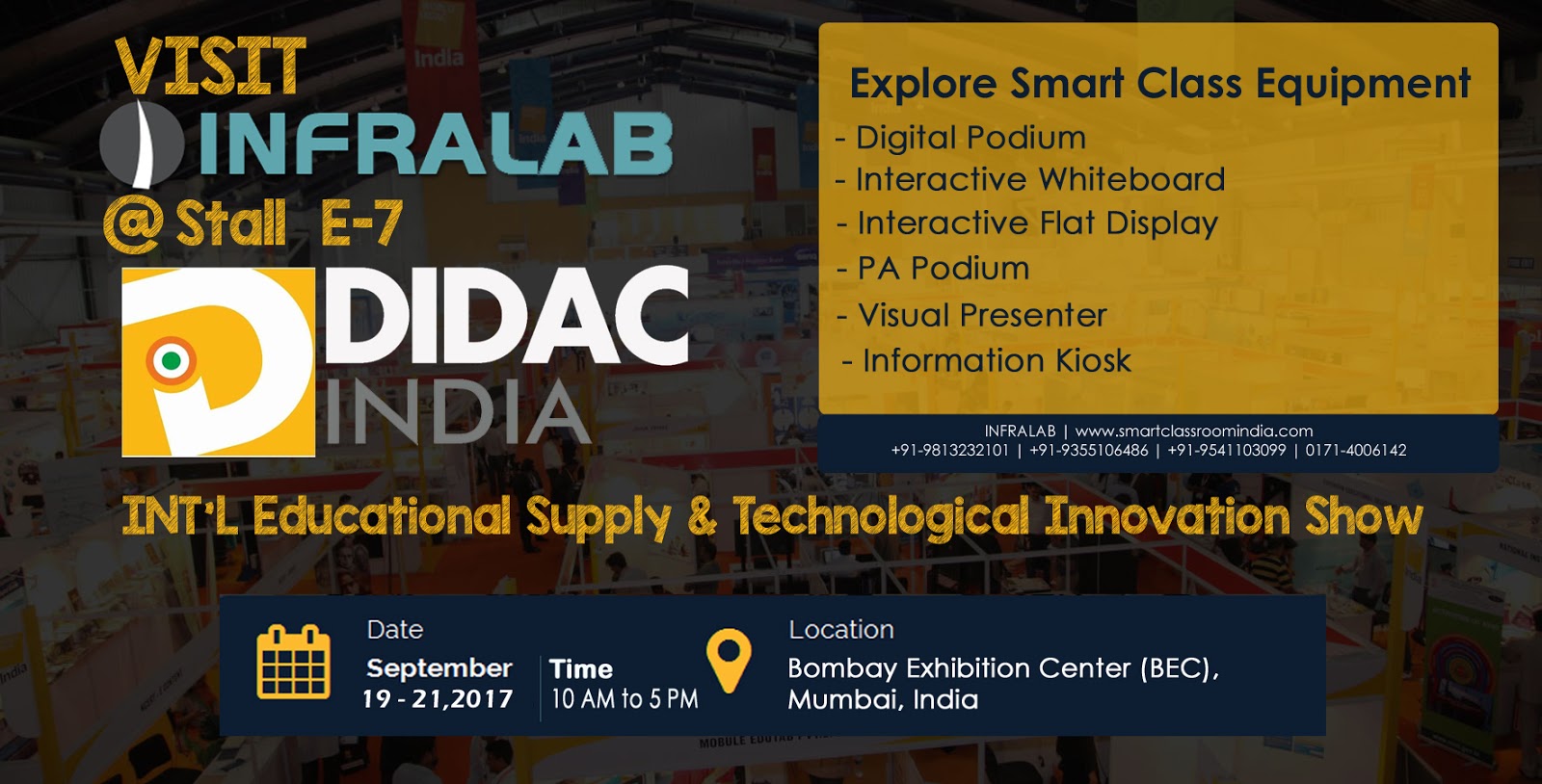
We are gearing up for the upcoming Exhibition - DIDAC INDIA at Bombay Exhibition Center, Mumbai. The event will commence from September 19, 2017 and continue till September 21, 2017. We are going to display our smart class equipment  - digital podium, pa podium, interactive whiteboard (10 point touch), interactive flat display,  visual presenter (7 models) and information kiosk in the mega event.
Didac India is one of the Asia's Largest Exhibition for Educational Supply & Technology Innovation. People from educational institutes across the country visit this event to have a glimpse over the latest educational and training products. Educationists get the opportunity to interact with the market leaders of educational supplies and training material.

We cordially invite all of you to visit

INFRALAB at STALL E-7 at DIDAC INDIA
Venue: Bombay Exhibition Center, Mumbai
Date:   19 - 22 September, 2017
Time:   10:00 AM to 5:00 PM


We request you once again to visit our Stall E-7. Not just see our products, but experience each of our smart class equipment by personally using them.
Hope to see you all soon! Stay healthy & cheerful till then!

Regards
Tanya
Infralab
infralabindia@gmail.com

Saturday, 4 March 2017

Interactive Whiteboard for the growth of Teachers and Students!

Technology has helped a man to move forward towards automation. It has influenced all segments of life transforming each manual operation into mechanical ones.
Coming to Education Industry, Interactive Whiteboard is the most recent innovation in India. Its benefits are not limited to either students or teachers, but it benefits both groups. In other words, Interactive Whiteboards contribute towards the growth and development of a teacher as well as a student. Learn how -
  • Stimulate Mind & Boost Creativity
    How boring is that for a teacher to just refer a book while teaching on a black board,  and students partially attentive and majorly distracted or half slept in the classroom? Interactive Whiteboard in India has transformed the ways classrooms used to be. Using these digital boards, an instructor can access all audio & visual files from the computer library and World Wide Web. Information from various sources not only stimulate minds of young students, but also boost creativity of teachers.
  • Improve Relationships, Connection and Collaboration: Explaining through pictures and videos while annotating offers a unique classroom experience. It triggers two-way learning process through a defined course of open communication between teacher and students. Classroom environment becomes flexible giving birth to a cohesive teacher & student relationship wherein they can connect and collaborate with each other enjoying the freedom of expression.
  • Keep you Energetic
    If you have digital boards in classroom, you won't be lazy. You will be on toes to share maximum information from the best sources to share with students. On the other hand, students also don't fall  prey to sleep. Technology has refined the definition of active classrooms.
  • Improve Brain Function
    Classroom is no more monotonous to experience everyday. No more you listen to the voice of only teacher, you watch videos, you listen to audios of related lessons and you watch images. Exposure to  subject material in different formats improves brain function.
  • Relieve Stress
    Students open up in smart classrooms; they actually express their thoughts and opinions in a smart class. They come out of their personal zones and feel free to ask their queries. In case any student is suffering from depression, stress or anxiety, digital classrooms offer them an opportunity to speak up their minds.
  • Help Develop Social Skills
    Interactive Whiteboard transforms a class into social engagement of teachers and students wherein they talk and learn. And, therefore they learn the art of communication.

Sunday, 13 November 2016

IPS Technology in Digital Podium

Digital Podium is our niche, because we manufacture it. Nowadays, we have been getting a number of inquiries for Digital Podium demanding a tilt in the touch monitor. And, we say  that you do not require it.
This blog is meant for all readers who want to understand the concept behind tilt in a digital podium. 
Let's first find out why do you require a tilt? If you have worked on a TFT or Laptop,  you must be knowing that you have to adjust your screen for optimal view. By adjusting the screen, you ensure that there are no reflections of light or other things. Therefore, you require tilt in a digital podium to adjust its screen.

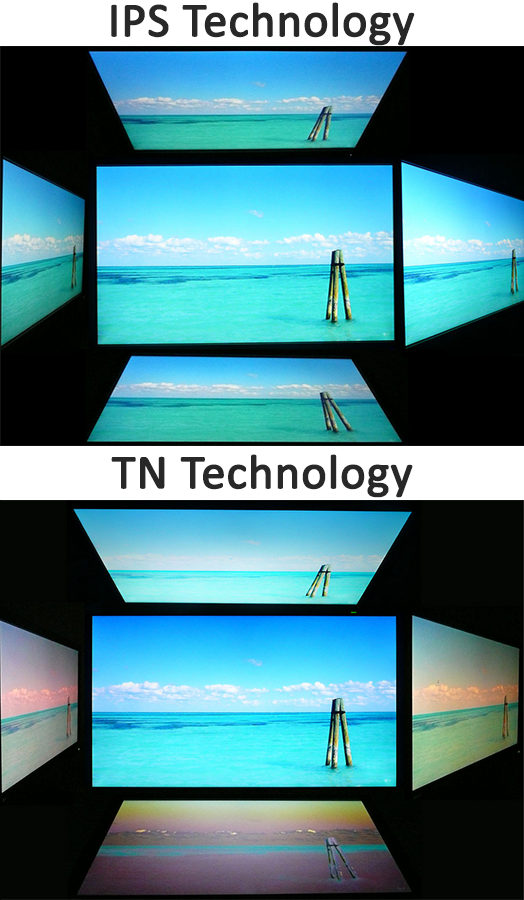
Now , we will tell you why we don't recommend a tilt in podium. The reason is simple that we use IPS Touch Monitor in it. IPS Technology is the latest technology that offers uniform view of screen from all angles (around 360 Degrees). You don't need to tilt it irrespective of your position and lights installed in the surroundings.  
Hope you liked our blog and found it useful.
Have a look at a picture of our Digital Podium here -


Tuesday, 1 November 2016

Seven Models of Visual Presenter

Recently we have joined Smore!

We have published a flyer about Visual Presenter mentioning about the seven models of visual presenter including Desktop Series, Portable Series and Short Document Camera.


We enjoyed being the part of www.smore.com! Hope you enjoyed our presence there. Please connect with us there, we would love to hear from you!
For queries, contact us at infralabindia@gmail.com , info@smartclassroomindia.com or ring us at +91-9541103099

Wednesday, 10 August 2016

Interactive Whiteboard Quick Installation Guide

This post is to help out teachers and trainers, who are struggling to install interactive whiteboard in a smart classroom. It is not a rocket science to install the one. One has to simply follow the procedure step by step for its easy installation.
Recently, our service professional has published a post "How to install Interactive Whiteboard in Classroom" on Hub Pages.

We are sharing the link, so that you can go through the topic and install interactive whiteboard on your own easily and quickly.

Follow the link here -

How to install Interactive Whiteboard in Classroom 


In case you have any questions to ask about installation, please feel free to ask using comment box. Our service professional would definitely clear all your doubts, if any.


Monday, 11 July 2016

Now Smart Classroom Equipment on Wix!

Hi,
It's been a while we did not post here! Yes, we were busy launching new models of digital podium, interactive whiteboard and visual presenter. Meanwhile, we also made our presence on reputed platform WIX.

We always wanted to have a website on wix - offering information about all smart classroom equipment. So, we made one :) It is a one page parallax website that scrolls down to different categories. 


Have a look here - http://smartclassroomindia.wix.com/smartclassroomindia  

Wix offered us good designs to organize information meticulously. We appreciate this platform. 

And, have a glance over the pictures of new models that were launched in the beginning of the new financial year 2016-2017. 

Visual Presenter - Model VPD600


Visual Presenter - Model VPD590
Document Camera - Model SDC5
Interactive Whiteboard - Techne Series - 6 Point Touch

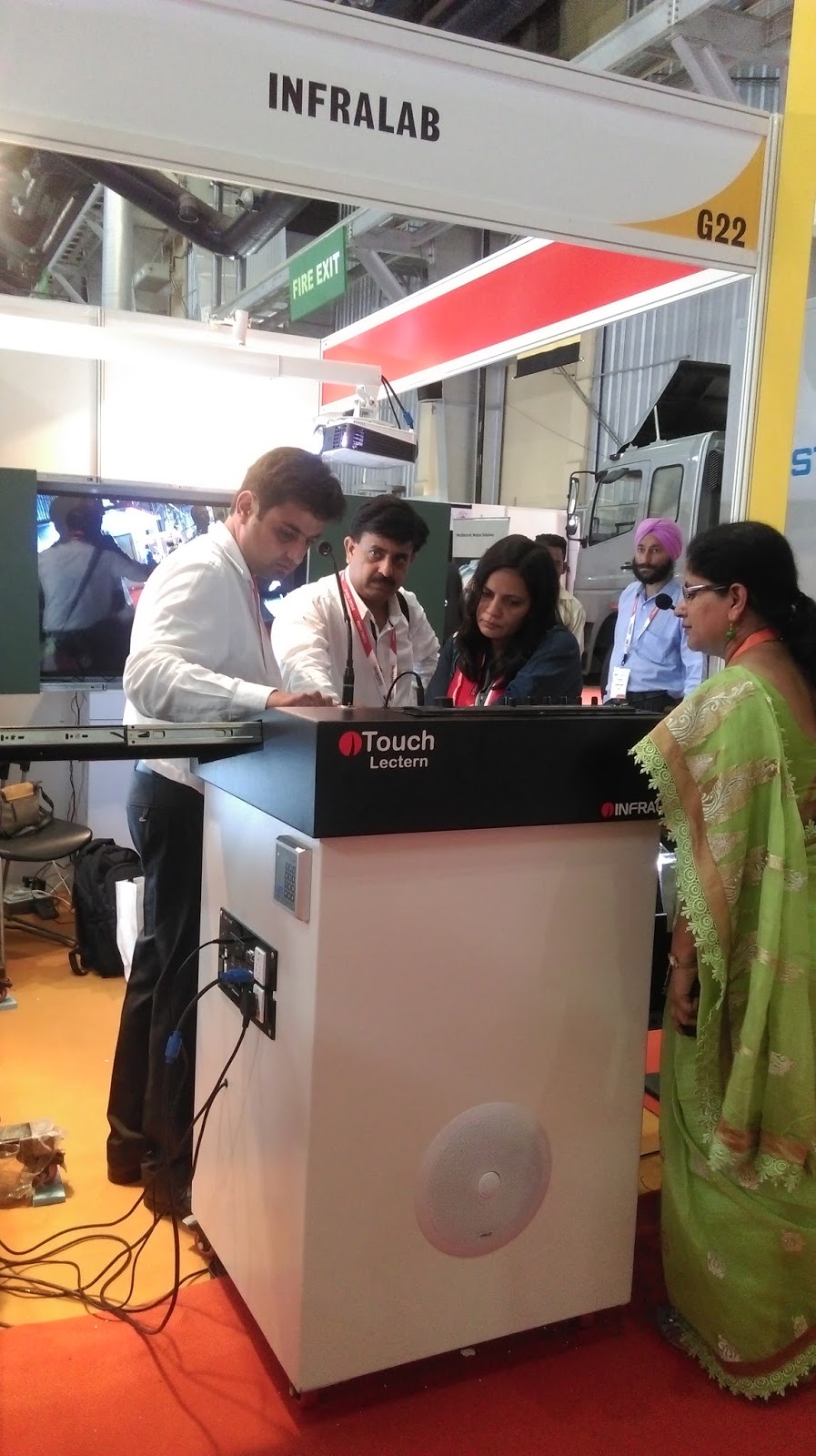
Digital Podium - New iTouch Lectern
Keep calm, soon we will share specifications of each model that we have launched. Till then, stay tuned to our website and blog.

Thanks
Team Infralab, Smart Classroom India


Friday, 12 February 2016

Smart Classroom India - Google Website Launched

Recently Infralab has launched #GoogleSite - https://sites.google.com/site/smartclassroomida/

We have developed this website for our clients basically. This website showcases our entire product range -
  • Interactive Whitboard - Infrared | Electromagnetic | Optical - Sizes 82" Diagonal | 87" Diagonal
  • Visual Presenter 5 Mega Pixel - Desktop Model | Portable Model | Gooseneck Model 
  • Digital Podium - 23" Touch Monitor
  • PA Podium - 60 Watts - With Three Speakers - Amplifier - Gooseneck Mic - LED Light - 2 Wireless Mic
  • Projection Screen - Instalock | Motorized - 6'X4' | 8'X6' 
  • Projector - Benq | Sony - Shortthrow | Long Throw
  • Interactive Device - Shortthrow | Long Throw
In our newly launched Google Website, you can also find - 
  • SNAPDEAL STORE - 
  • Demonstration Videos of all smart classroom equipment (interactive whiteboard India, visual presenter, digital podium, pa podium, etc.)
Enjoy our new website! In case you want to buy - call @ +91-9813232101 or +91-9355106486

Monday, 21 December 2015

SMART CLASSROOM EQUIPMENT MSME EXHIBITION 2015, KANPUR

Hello Friends,
Recently we have been busy with MSME Global Exhibition at Kanpur
It was great to be in Kanpur! Smart Classroom India Infralab got great response from the educational institutes, government institutes and dealers of Kanpur.
Here, we share a few pictures and videos of the event- 

PRESS COVERAGE - We were in Headlines for Supplying Interactive Whiteboards in India :


Have a look at Our STALL: 

LIVE DEMONSTRATION OF INTERACTIVE WHITEBOARD- 

Digital Podium at MSME Exhibition 2015:

Visual Presenter At MSME Exhibition 2015 

Desktop MODEL VPD945- 

Portable MODEL VPP350-

Video Demonstration of Visual Presenter Model VPP350-

It was great to participate in MSME Exhibition 2015 in Kanpur. Hope you liked pictures! To know more, either drop a mail to infralabindia@gmail.com or call at +91-9355106486.

Wednesday, 7 October 2015

How to use Interactive Whiteboard?

Interactive Whiteboard is a smart class device, which has replaced the traditional black board, chalk and duster system. Nowadays, an instructor uses a smart board, using finger or a dummy pen, to teach. Besides  classroom book content, teachers have access to extended libraries as they can use internet in classrooms. Yes, technology has changed the entire process of teaching and learning.

But, there is a resistance among-st teachers that stop them to try smart boards. This resistance is nothing but lack of  training; they don't know how to use interactive whiteboard and hence they shirk to use it. Here is the video demonstrating smart board to help teachers understand the tools of a smart board.

Demonstration - Interactive Whiteboard


In case you have any doubt about smart class, feel free to ask us using comment box.

Thursday, 10 September 2015

Visual Presenter - Demonstrate & Teach

Hello Everyone,

Have you ever thought how would a classroom look if a teacher explains each lesson through real-time demonstration? It will be a jaw dropping experience for students. And, a teacher would no more require a trick to grab the attention of students.
Smart Classrooms stand as epitome for perfect teaching and learning practices. And, smart teaching devices play the elementary role. One such equipment is Visual Presenter.

Visual Presenter allows a teacher to show a real-time object in a classroom using a projector and a projection screen. When teachers were told about this super teaching gadget they were amazed and could not believe that now they can show a real butterfly,  leaf, stone, tooth model, brain model and many such things on screen. And their excitement grew when they were asked to annotate on these on-screen objects and were shown their annotation videos. With time, teaching aids are evolving and so the classrooms.

Guys, who are interested in knowing "what can they do with a visual presenter in a classroom" can view the presentation below:


In case, you want to know more about visual presenter, please ask your question using the comment box.

Thanks!

Thursday, 9 April 2015

Public Addressing Podium Live Demonstration

Watch Live Demonstration of Infralab's Power PA Podium (Public Addressing Podium) -


In order to read the specifications of PA Podium, kindly read the description given at the end of the video on You Tube.
This is high-end solution for educational institutes / training houses to ensure clear voice amidst large audience. Infralab's Power Podium is in much demand across Asian Countries (especially India); the equipment is easy to install, plug & play device. No vigorous training is required to use PA Podium. And, it takes nothing to  maintain this gadget except for a clean dusting cloth.

Our shipping is perfect with proper packing and tracking. In addition to power podium, we also provide digital podium, visual presenter and interactive whiteboards. To inquire; mail us at infralabindia@gmail.com or call at +919813232101 or +919355106486.

Monday, 16 March 2015

Introduction to Visual Presenter


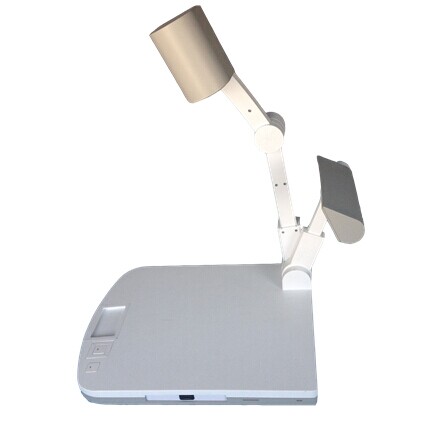
The visual presenter also called as “document camera or visualiser ” is a part of smart classroom devices.  This device helps in understanding the lecture precisely.  It captures the real time images of the book if we put the textbook on the desktop visual presenter. It highlights every content (text, image and video) on the big screen effectively to the audience with zoom-in option.


It actually offers wireless image transmission from internet to the computer over Wi-Fi network. Visual Presenter can be integrated with computer, projector and interactive whiteboard. It makes the presentations best by using document camera.
One of the best features of this device that one can record live experiments which can be visible to the large chunk of audience. It also facilitates saving option which can be presented again for some discussion purpose as per the requirement. Without having computer attached the visual presenter can read the images and any other files which makes this device flexible enough to carry out its operations.
There is no particular training that is required to use this device because it is quite user-friendly. It is ready-to -use Kind of device. This portable device takes no time to set up in an area. As per your choice one can use computer with visual presenter to show more files to the audience. Financial Reports related with the company can be shown through the visual presenter to present large number of audience effectively.
To buy visual presenter, please drop mail or call at +91-9813232101 or +91-9355106486

Friday, 28 November 2014

HOW TO BUY DIGITAL PODIUM ONLINE?

Weather to buy a digital podium from a local supplier or online is a question of great dilemma. Quality, delivery period, installation, demonstration, training, after sale service and warranty are a few things to keep in mind before purchasing the equipment.
With a shift from traditional teaching practices to hi-tech smart classrooms; institutes are looking forward to buy the latest innovative hardware to enhance the total learning experience. Smart Classroom Equipments are fixed assets that ensure great return on investment over a long period of time.  Consumer Behavior theory can be aptly applied on it – from the point of influencer to the point of actual buyer.
Digital Podium is a revolutionary smart class solution that most of the premium educational institutes are opting for and many educational authorities are making it mandate. The advanced teaching aid has edge over all other devices because it is a comprehensive device that has built-in smart components.  


Check list for buying digital podium

  • Prime Components:  First, verify the components of the device if you are looking forward to buy digital podium online. Primarily, it should have interactive touch panel, built-in visual presenter, computer and public addressing system. There are many available product models in the market that do not have all these integral elements. It is highly recommended to purchase the complete set without any compromise. 
  • Secondary Components: Keyboard is an indispensable part of this smart classroom equipment. Confirm it before purchasing that the gadget has a sliding user friendly keyboard tray. Second, Sliding Door of Touch Panel to keep the panel scratch free; and when in use it becomes an efficient book rest. Third, a multi storage cup-board to keep personal stuff like bag or books. These secondary components make the device fit to use.
  • Electrical Fittings:  Though the smart classroom equipment is plug and play device, therefore it is very important to verify electric fittings. Check out for quality cables, external USB ports , Ethernet (LAN) port, switch boards, power sockets and ventilation air fan inside to ensure smooth working of device in future.
  • Wheels: Mobility makes any device user friendly and this smart teaching aid is no exception to it.  Though the device itself is made for multiple purposes -auditoriums, seminar halls, training centers, lab workshops and classrooms. Therefore, it is must to confirm that the device is on wheels for easy mobility from one room to another.
  • Warranty: Minimum one year warranty must be demanded from the seller; irrespective of its location. 
  • After Sale Service:  Either service centers or after sale service should be verified before purchase.

COMPARE NEEDS vs. GADGET

What are you looking for?  If you are an institute looking forward to purchase (say) ten whiteboards for your institute than digital podium can be a better decision in regard to both cost and features. It would be a good decision to buy 5 of later ones than 10 of former. 

Online Procedure to Buy

  1. Google is the king of search engines; search for digital podium on it. 
  2. Open the website of first four search engine results.
  3. Read the reviews available if the seller is selling on ebay, amazon, snapdeal, etc.
  4. Contact the seller personally through phone as well as mail.
  5. Ensure to get all the warranty and quotation formally through mail for record keeping.
  6. Confirm the training program hours from the buyer to get familiar with the device quickly.
  7. Make the purchase either on COD or advance payment options, whatever available.
Hope, the information shared helps you in one way or other. In case of doubt, feel free to contact!

Wednesday, 24 September 2014

Benefits of Visual Presenter (Document Camera)


The advent of document camera (visual presenter) has eliminated boring classes and made them interactive in nature. Apart from education, this device is also widely used in the public sector and in various kinds of businesses. Explaining things with proper demonstration is made easier with a visual presenter.

Wireless Visual Presenter (Document Camera)

Price Range  of Visual Presenter


With increasing demands of this device, many companies are manufacturing the same for catering to the requirements of the customers. The visual presenter price varies from one company to another. The price also depends on the features that are integrated with the document camera.
When the visual presenter price is compared with the benefits that it offers, there is no doubt that the price is worth it. The price range of visual presenter is quite wide ranging from almost $370.00 - $1691.00. Devices in the higher price range might have more features in them. 

Here are some of the benefits that are offered by the visual presenter:

  •  It is possible to display the minutest of alphabets written in a book on the large display board placed in the front. Along with text, images and graphs, other kinds of content can be displayed clearly with the device. 
  •  Easier to explain things to a whole class as the display is a large one and smallest details can be seen. It makes classes interesting and interactive. 
  • Great use of visualizer in training sessions and support programs in various organizations. 
  • Enhancing experience of video conferencing by connecting the visualizer with the main teleconferencing system. 
  •  Great devices for being used in workshops where things can be followed and understood from close quarters. 
  • Project  real 3D Objects on the big screen and demonstrate them more specifically and preciselyusing document camera.

Installing a document camera helps in saving loads of time and money. If the price of visual presenter is considered, there is no doubt regarding the worth of the same.